

Add an invoice link to Shopify order emails
Invoice Inn can give your customers a download link for their invoice inside the emails Shopify already sends. You enable the link in the app, paste a short snippet into the shipping confirmation template in your Shopify admin, and the link downloads the order’s invoice from your own store domain.
Enable the link in Invoice Inn
Section titled “Enable the link in Invoice Inn”- Open Automations and expand Invoice generation.
- Under Invoice link in Shopify emails, choose Enabled. The snippet appears below.
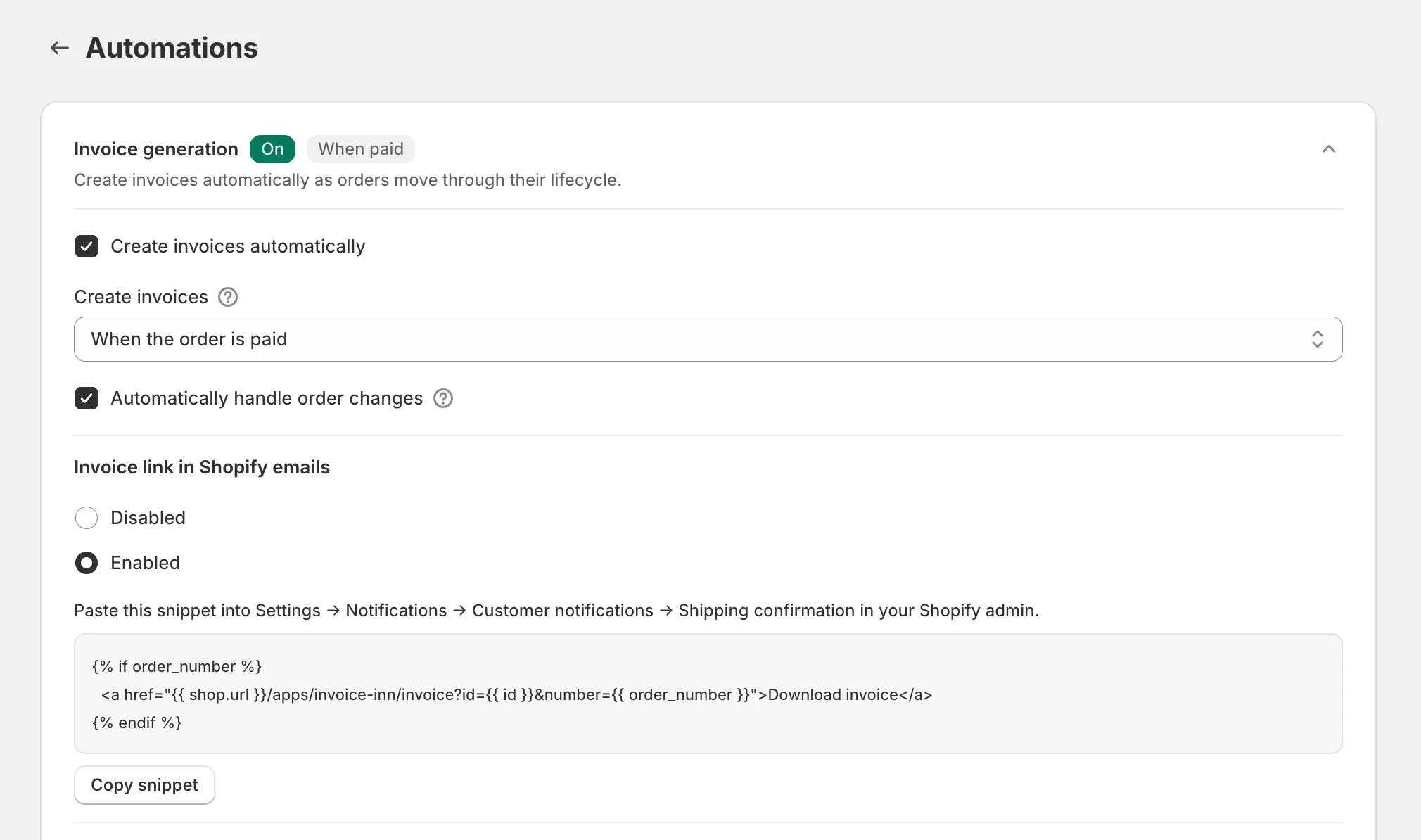
- Click Copy snippet. You will see “Copied”.
- Click Save.
The snippet is:
{% if order_number %} <a href="{{ shop.url }}/apps/invoice-inn/invoice?id={{ id }}&number={{ order_number }}">Download invoice</a>{% endif %}Paste it into the Shopify template
Section titled “Paste it into the Shopify template”- In your Shopify admin, open Settings > Notifications > Customer notifications and open Shipping confirmation.
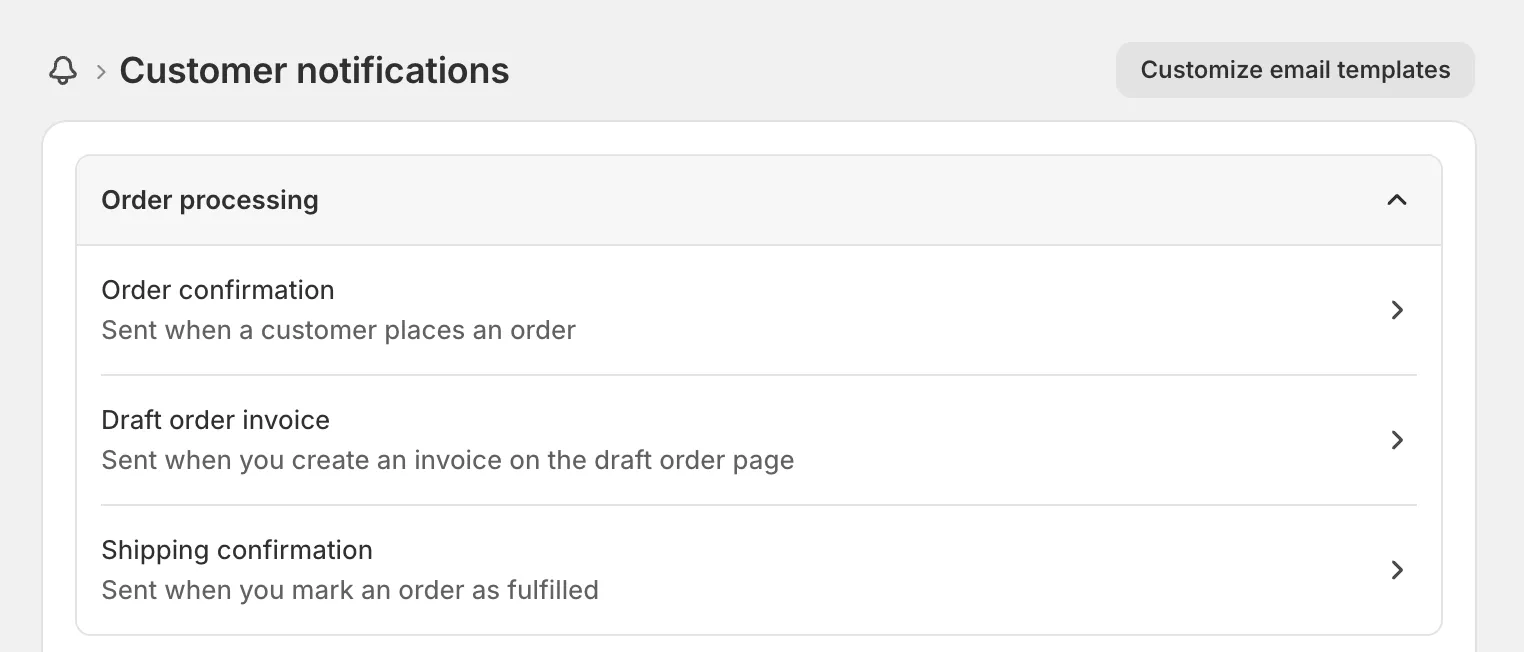
- Edit the template’s code and paste the snippet where the link should appear, for example below the order summary.
- Save the template. Shopify’s preview shows the link as “Download invoice”.
The shipping confirmation is the right template because the invoice exists, or is moments away, by the time it goes out with either trigger. With When the order is fulfilled the invoice is generated right after the shipping email fires, which is what the “being prepared” page below is for. Other templates that know the order, such as the order confirmation, accept the same snippet, but with When the order is fulfilled the invoice does not exist yet when that email is sent.
What the customer sees
Section titled “What the customer sees”The email carries a link reading Download invoice. Clicking it downloads the order’s invoice as a PDF named after the order number, 1001.pdf for order #1001. If the invoice has not been created yet, the customer lands on a page titled “Your invoice is being prepared” that asks them to refresh shortly, and the same link works once it exists.
Good to know
Section titled “Good to know”- The link serves invoices only. Credit notes are not available through it.
- If an order has more than one invoice, the link downloads the most recent one, so a supplementary invoice replaces the original at that link.
- The link works only while Invoice link in Shopify emails is Enabled. If you switch it to Disabled, remove the snippet from the template too, or customers get a broken link.
- A skipped order, or one whose invoice you deleted, shows the “being prepared” page until an invoice exists.