

Plans and monthly document limits
Every plan creates the same invoices and credit notes. Plans differ in the number of documents you can create in a calendar month and in the extra features they unlock. The Free plan gives you 50 documents a month with no card on file, and the count resets on the first day of every month.
The plans
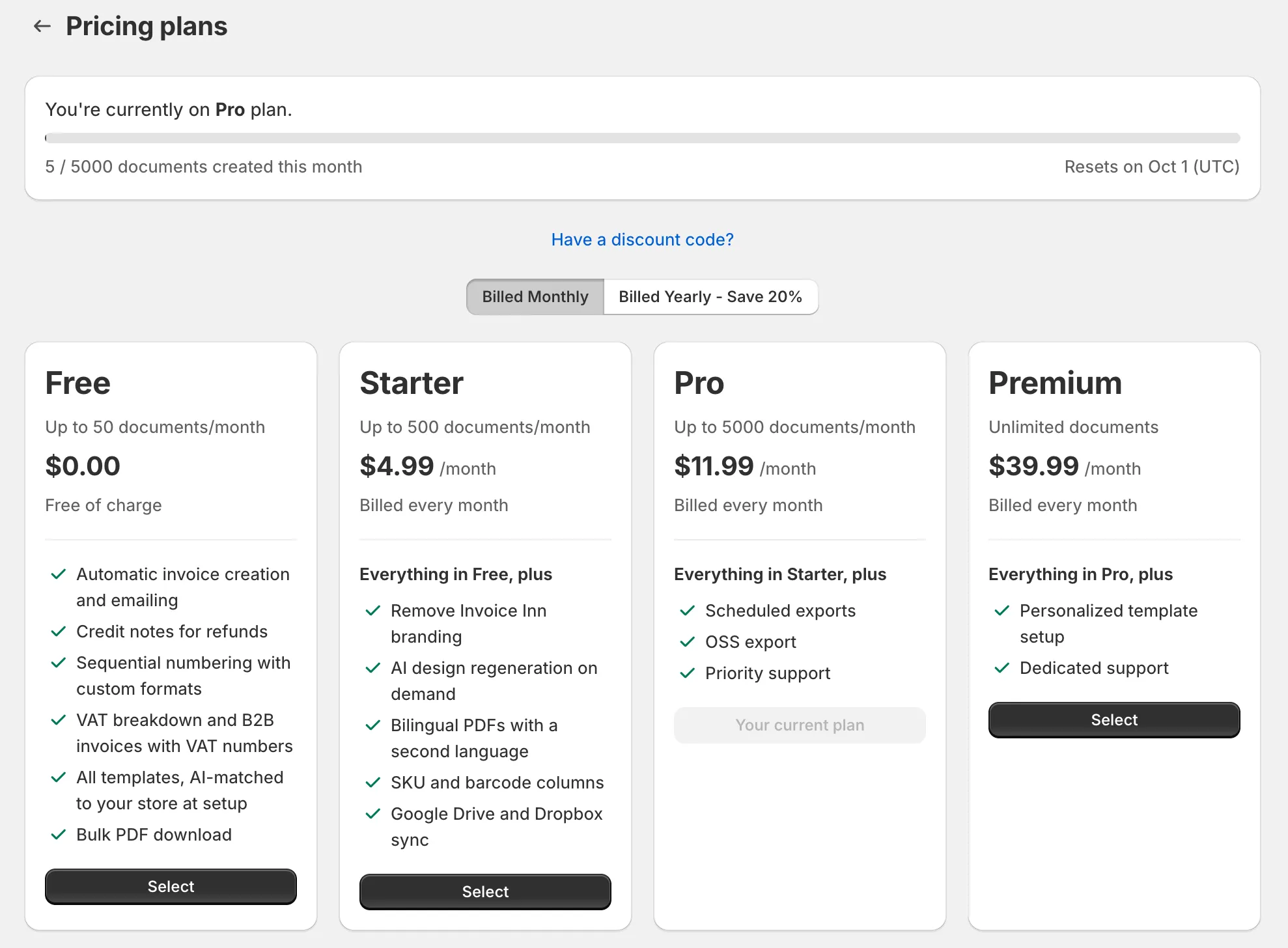
Section titled “The plans”| Plan | Documents a month | Price |
|---|---|---|
| Free | 50 | Free of charge |
| Starter | 500 | $4.99 a month, or $47.90 billed once a year |
| Pro | 5,000 | $16.99 a month, or $163.10 billed once a year |
| Premium | Unlimited | $59.99 a month, or $575.90 billed once a year |
Prices are in US dollars as shown on Pricing plans. Billing yearly costs 20% less than paying monthly. Each paid plan includes everything from the plan below it.
- Starter removes the Invoice Inn footer from documents and emails, and adds the translated PDF download, the SKU and barcode columns, Google Drive and Dropbox sync, AI design regeneration on demand, and totals in your national currency at the ECB rate. See Remove the Invoice Inn footer.
- Pro adds scheduled exports, the OSS export, e-invoicing for businesses established in Germany, and priority support.
- Premium lifts the document limit and adds a personalized template setup and dedicated support.
What counts toward the limit
Section titled “What counts toward the limit”- Every invoice and credit note created in the current calendar month, whether automation made it or you clicked Create invoice on Orders. Supplementary invoices and credit notes count like any other document.
- Documents you delete still count. The limit is about documents created, not documents kept.
- Editing a document does not count. It regenerates the PDF of the same document.
- Downloading, exporting and emailing never count.
The count resets at midnight UTC on the first day of the month. Pricing plans shows the exact date as “Resets on” with the date in UTC.
Where to see your usage
Section titled “Where to see your usage”- Home shows how many documents you have used this month out of your limit, with a bar that turns red as you get close.
- Pricing plans opens with “You’re currently on … plan”, the same bar, the number of documents created this month and the reset date.
- At 80% of the limit you get one email a month, “Usage Limit Warning”, to your store’s email address.
When you reach the limit
Section titled “When you reach the limit”- Home and Orders show a red banner, “Document limit reached”, with a View Plans button.
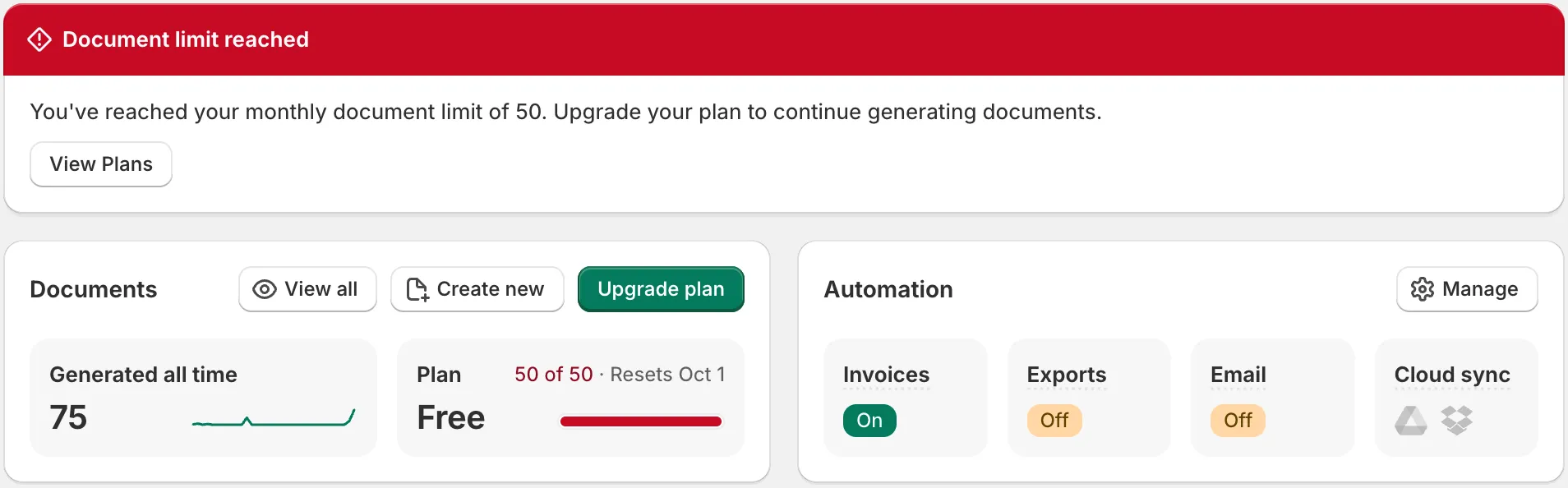
- Automatic invoicing pauses. Orders paid or fulfilled while the limit is reached get no invoice and stay under Needs action on Orders, so you can create their documents once the count resets or you upgrade. See Handle orders that need action.
- Creating a document by hand shows “Plan monthly limit exceeded” with an Upgrade plan button.
- Nothing already issued is affected. Downloading, exporting and emailing keep working.
Upgrading raises the limit at once. The count of documents already created this month stays as it is, so on Starter you have 500 minus what you have already used.
Change your plan
Section titled “Change your plan”- Open Pricing plans in Invoice Inn.
- Choose Billed Monthly or Billed Yearly - Save 20%. The cards update to that price.
- On the plan you want, click Start FREE 14-day trial if you are on Free and have not used the trial, or Select otherwise. The plan you are on reads Your current plan.
- For a paid plan, Shopify opens its approval screen. Approve the charge there, and the plan is active when you are back in the app. Choosing Free needs no approval and shows “Plan updated successfully”.
The 14-day trial is offered once per store. A paid plan keeps the price it was approved at; when prices change, the new price applies only when you subscribe or change plans. If you have a discount code, click Have a discount code? above the toggle before selecting a plan.