

Why are taxes missing on my invoices?
An invoice shows the tax Shopify charged on the order. When a line prints at 0%, or there is no VAT in the totals at all, Shopify charged no tax on it. Below are the causes, most common first, with the place in Shopify to fix each.
Start with the Home page
Section titled “Start with the Home page”If the Home page in Invoice Inn shows a banner titled Shopify taxes may not be configured, the app looked at your ten most recent orders and none of them carried a tax line. That points to cause 1. Click Configure taxes to open the tax settings. A dismissed banner does not come back, so check Shopify directly if you closed it earlier.

The causes
Section titled “The causes”- The store is not collecting tax in that country. Open Settings > Taxes and duties and check that the customer’s country is set up under your region. A country is only listed once it is in a shipping zone under Settings > Shipping and delivery.
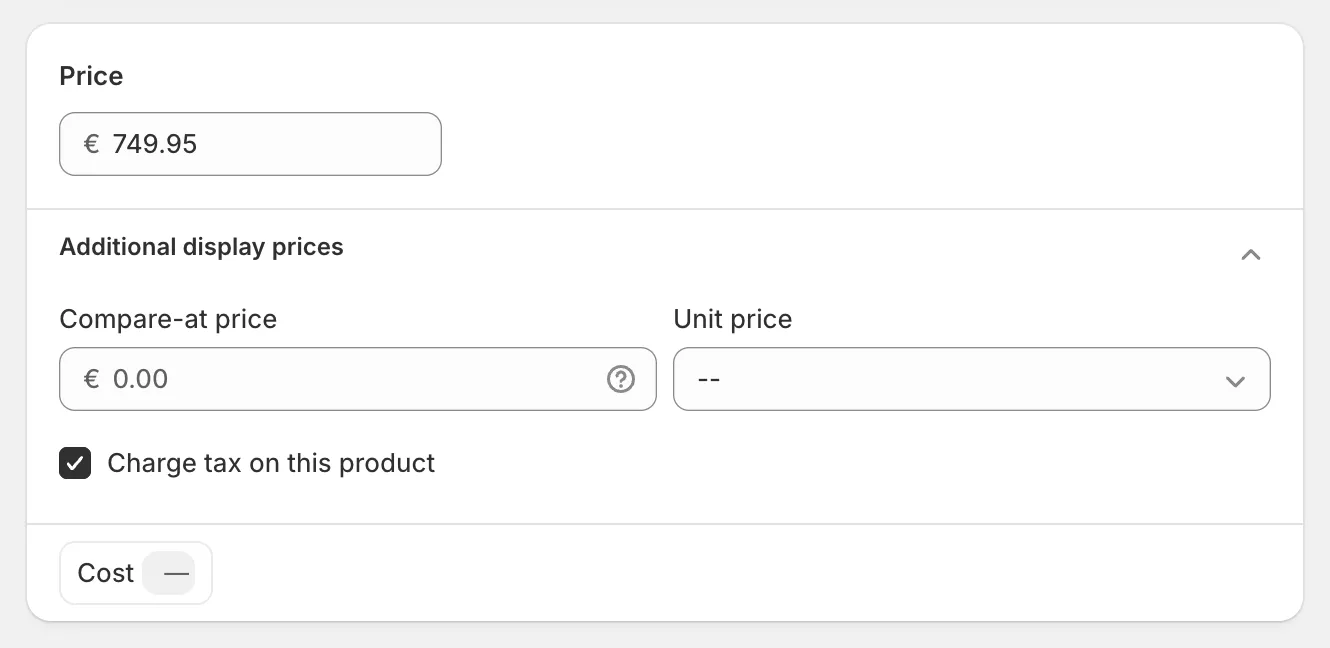
- The product is not taxable. Open the product, and in the Price card expand the row of chips below the price and tick Charge tax on this product. This is the usual reason when one line is 0% and the rest of the invoice is fine.
- The customer is tax-exempt. Open the customer, choose Edit tax details from the … menu on the Contact information card, and check that Tax settings is Collect tax. A tax-exempt customer’s lines print at 0% on the invoice. See Tax-exempt customers on invoices.
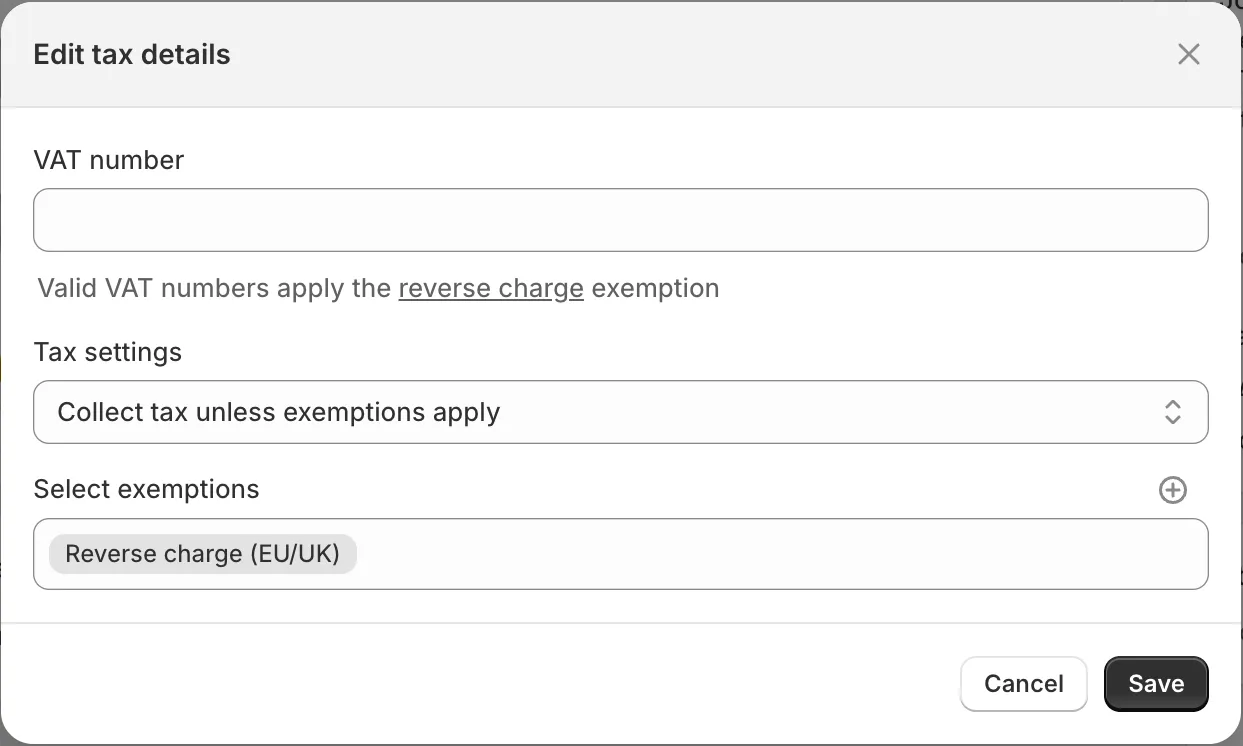
- The customer gave a VAT number and Shopify applied the EU reverse charge. This is correct, not missing: a business in another EU country is invoiced at 0% with a legal note. See Collect VAT numbers and apply the reverse charge.
- The order predates your tax setup. Shopify does not recalculate tax on an existing order, so its invoice cannot gain tax. Only orders placed after the fix will carry it.
- Shipping is 0% while the products are fine. Shopify is not charging tax on shipping rates. See Charge tax on shipping.
What to do about an invoice already issued
Section titled “What to do about an invoice already issued”Documents are stored as issued and never rewritten. Fixing a Shopify setting changes nothing on an invoice that already exists, and regenerating the invoice gives you the same numbers, because the order itself still carries no tax.
Delete the wrong invoice from Documents and generate it again from Orders only when the order now carries tax, for example after you edited the order in Shopify. Otherwise the new invoice will be identical to the old one.
