

Tax-exempt customers on invoices
Shopify can mark a single customer as tax-exempt, so their orders are charged no tax whatever your store settings say. Invoice Inn follows the order, so their invoices print without VAT.
Mark a customer tax-exempt in Shopify
Section titled “Mark a customer tax-exempt in Shopify”- Open Customers and pick the customer.
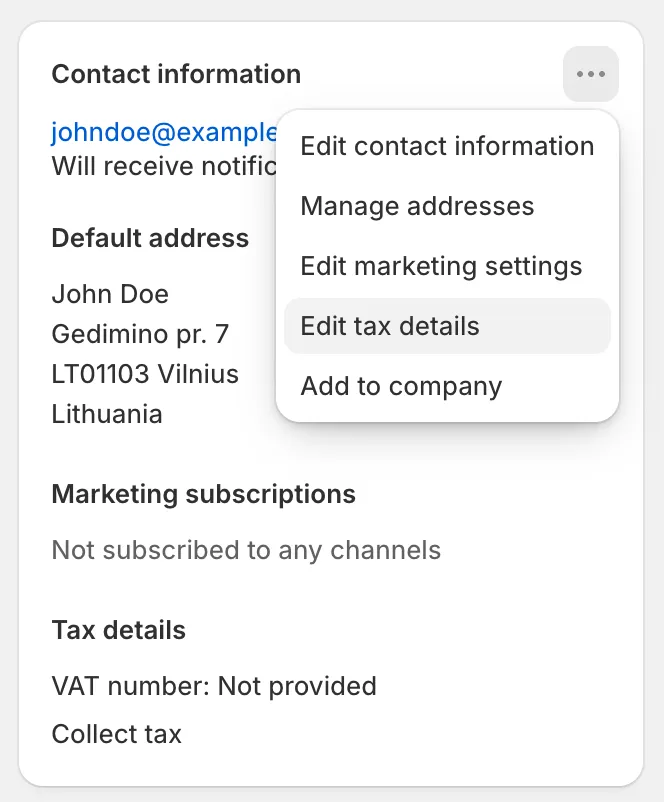
- On the Contact information card, open the … menu and choose Edit tax details.
- Under Tax settings, choose Don’t collect tax to exempt them from all tax, or Collect tax unless exemptions apply and add an exemption under Select exemptions. Reverse charge (EU/UK) is the one for a business customer in another EU country.
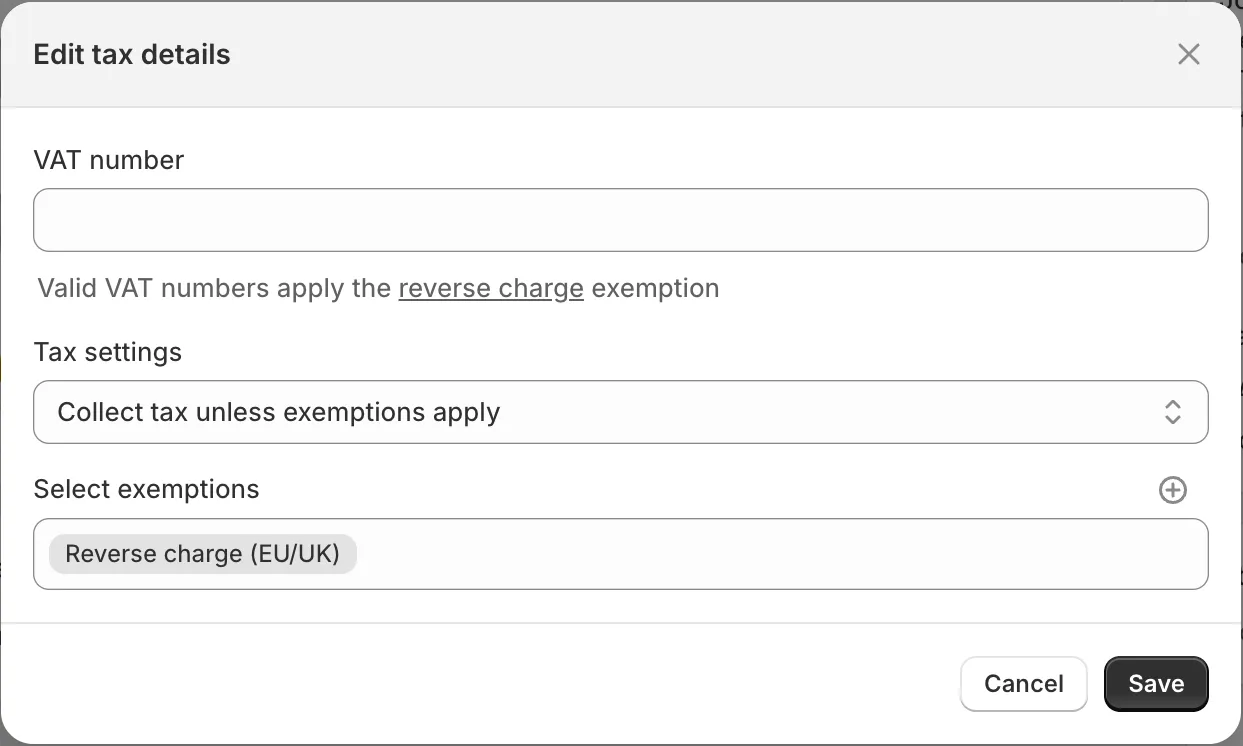
- Click Save.
How this shows on your invoice
Section titled “How this shows on your invoice”Every line on a tax-exempt customer’s invoice prints at 0%, and there is no VAT in the totals. No legal note is added just because the customer is exempt. The note appears only when the invoice qualifies as a reverse charge sale: the customer has a VAT number, they are in a different EU country from your business, and VIES has not rejected the number. Collect VAT numbers and apply the reverse charge has the details.
Good to know
Section titled “Good to know”An exemption set after an order was placed does not change that order. Shopify keeps the tax it charged at checkout, and Invoice Inn reads the tax lines on the order rather than the customer’s current settings, so an invoice for an earlier order still shows VAT. The same holds the other way round: removing an exemption does not add VAT to orders that were placed without it.