

What happens when an order is edited
When you edit an invoiced order in Shopify and the customer pays the difference, Invoice Inn issues a supplementary invoice for the added amount. Items you remove are handled as refunds and get a credit note. The original invoice stays exactly as it was issued.
How an edit is documented
Section titled “How an edit is documented”Each time Shopify records a payment or a refund on an order that already has an invoice, Invoice Inn compares what the documents cover with the order’s current total and issues what is missing:
| The edit | The document |
|---|---|
| Adds items or charges | A supplementary invoice for the addition |
| Removes items or lowers the price | A credit note for the difference |
| Adds some items and removes others | One of each, created together |
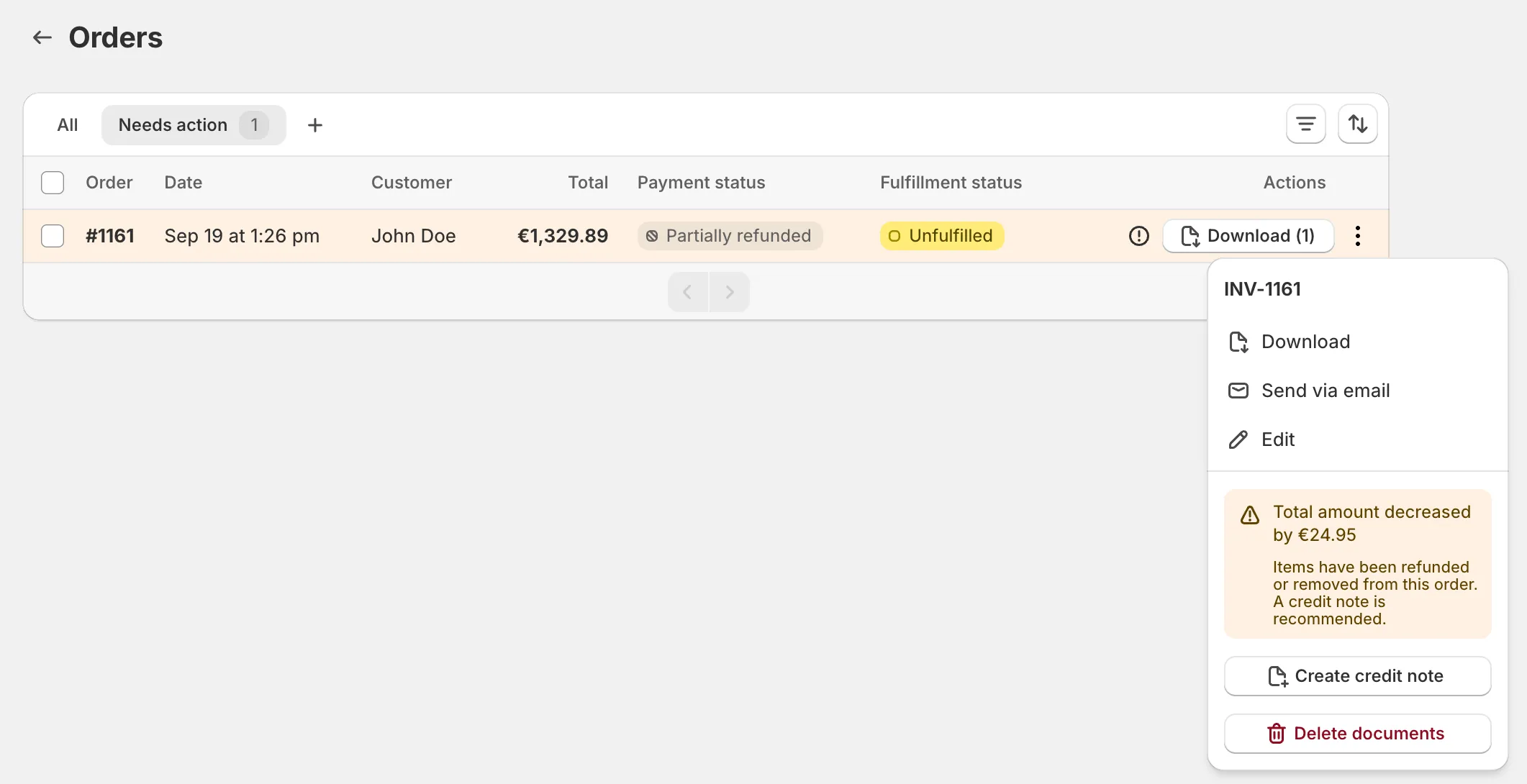
This needs Automatically handle order changes under Automations > Invoice generation. With it off, the order shows under Needs action on the Orders page with the suggested document ready to create.
An addition is documented when the customer’s payment for it is recorded. Until then the order sits under Needs action, where you can also create the document yourself: open the order’s documents menu on Orders and the button reads Create additional invoice, Create credit note, or Create documents when both are due.
How this shows on your documents
Section titled “How this shows on your documents”A supplementary invoice is an ordinary invoice: it carries the Invoice badge on the Documents page, takes the next number in your invoice series, and bills only the added items or charges, not the whole order again. A credit note for removed items lists those lines with negative totals and refers to the original invoice by number.
Good to know
Section titled “Good to know”- The invoice is never rewritten. Every edit after it produces a new, numbered document, which is what keeps the sequence intact for your accountant.
- Skip rules apply only to the first invoice. Once an order is invoiced, its edits are handled whatever its tag.
- Each document counts toward your monthly limit.
- Supplementary invoices are emailed to the customer when Email delivery is on and Supplementary invoices is ticked under What to send.