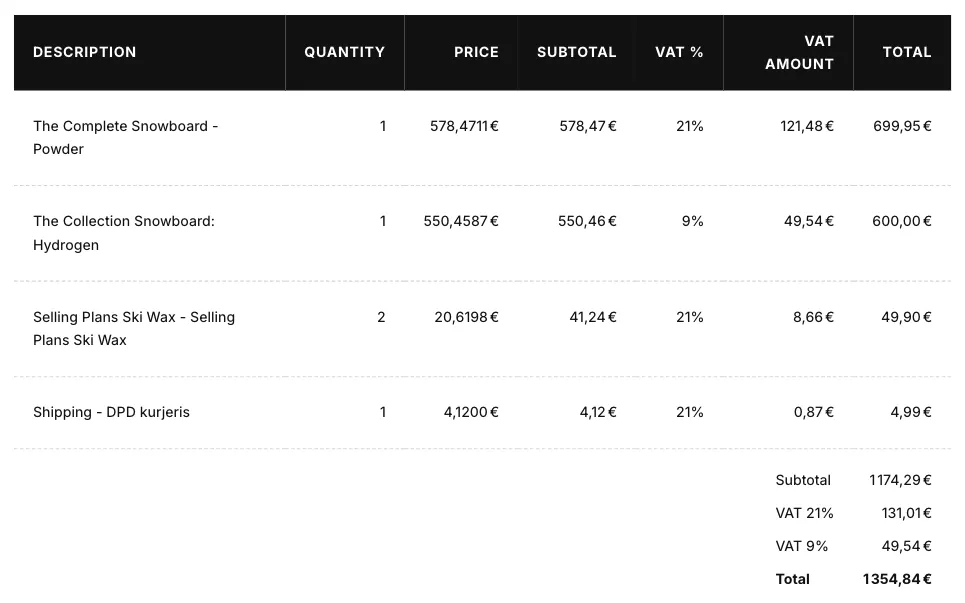
Charge tax on shipping
If shipping shows 0% on your invoices, or the shipping VAT is missing from the VAT total, Shopify is not charging tax on shipping rates. Invoice Inn prints the shipping tax Shopify charged, so it cannot add one.
Turn it on
Section titled “Turn it on”- Open Settings > Taxes and duties in Shopify.
- Under Additional configuration, tick Charge sales tax on shipping.
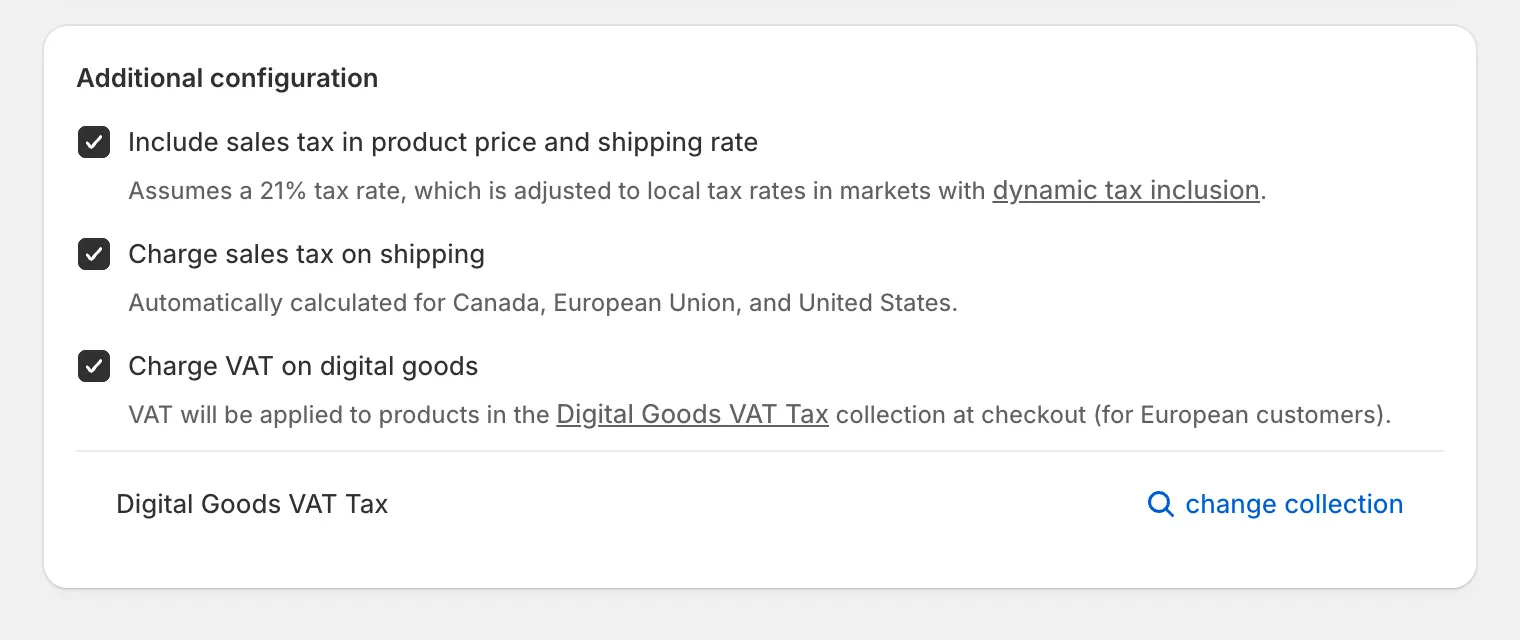
- Click Save.
In the EU, shipping normally follows the VAT rate of the goods it delivers. On an order that mixes rates, Shopify splits the shipping tax in proportion to the goods at each rate.
How this shows on your invoice
Section titled “How this shows on your invoice”Shipping is its own line in the table, titled **Shipping - ** followed by the name of the shipping method the customer chose. The word “Shipping” follows the document language, and you can rewrite it under Customize > Localization in the Translations card, under Other.
The line carries its own VAT rate and VAT amount, taken from the shipping tax lines on the order. The app uses the amount Shopify charged rather than multiplying rate by price, so a mixed-rate order stays exact to the cent. When Shopify charged no tax on shipping, the line prints 0% and no shipping VAT appears in the totals.