

Prepare your OSS VAT return
The OSS export pulls out the documents for VAT you charged to consumers in other EU countries during a quarter or a month. You get either a CSV with the net, VAT and gross amounts per document and VAT rate, ready to sum per country for your One-Stop-Shop return, or a ZIP with the matching PDFs as the evidence behind the figures. It is available on the Pro plan and above, and it is not a filing: you still enter the figures in your national OSS portal.
Before you start
Section titled “Before you start”- You need the Pro plan or above. On a lower plan the dialog shows “Upgrade your plan to unlock this feature” with a View plans button.
- Your business country must be set under Customize > Business details. Without it the export stops with “Please set your business country in settings before exporting OSS data”.
- The export reports the VAT Shopify charged. For it to hold destination rates, your OSS registration has to be in Shopify under Settings > Taxes and duties > European Union. The EU VAT guide walks through that.
Run the export
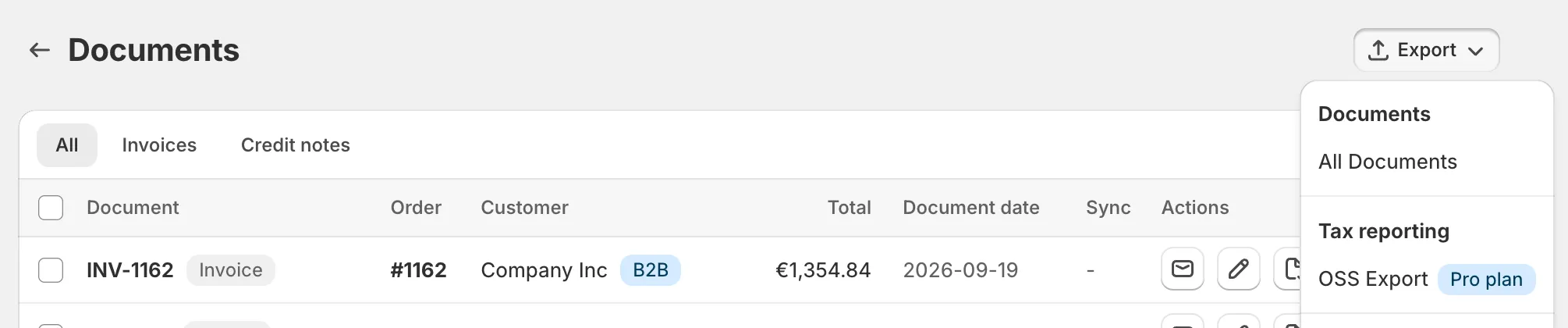
Section titled “Run the export”- Open Documents and click Export in the page header.
- Under Tax reporting, choose OSS Export.
- Under Period type, choose Quarterly or Monthly.
- Pick the Year (the current year and the two before it), then the Quarter (Q1 to Q4) or the Month.
- Under Export type, choose CSV for the figures or Documents (PDF, ZIP) for the PDFs.
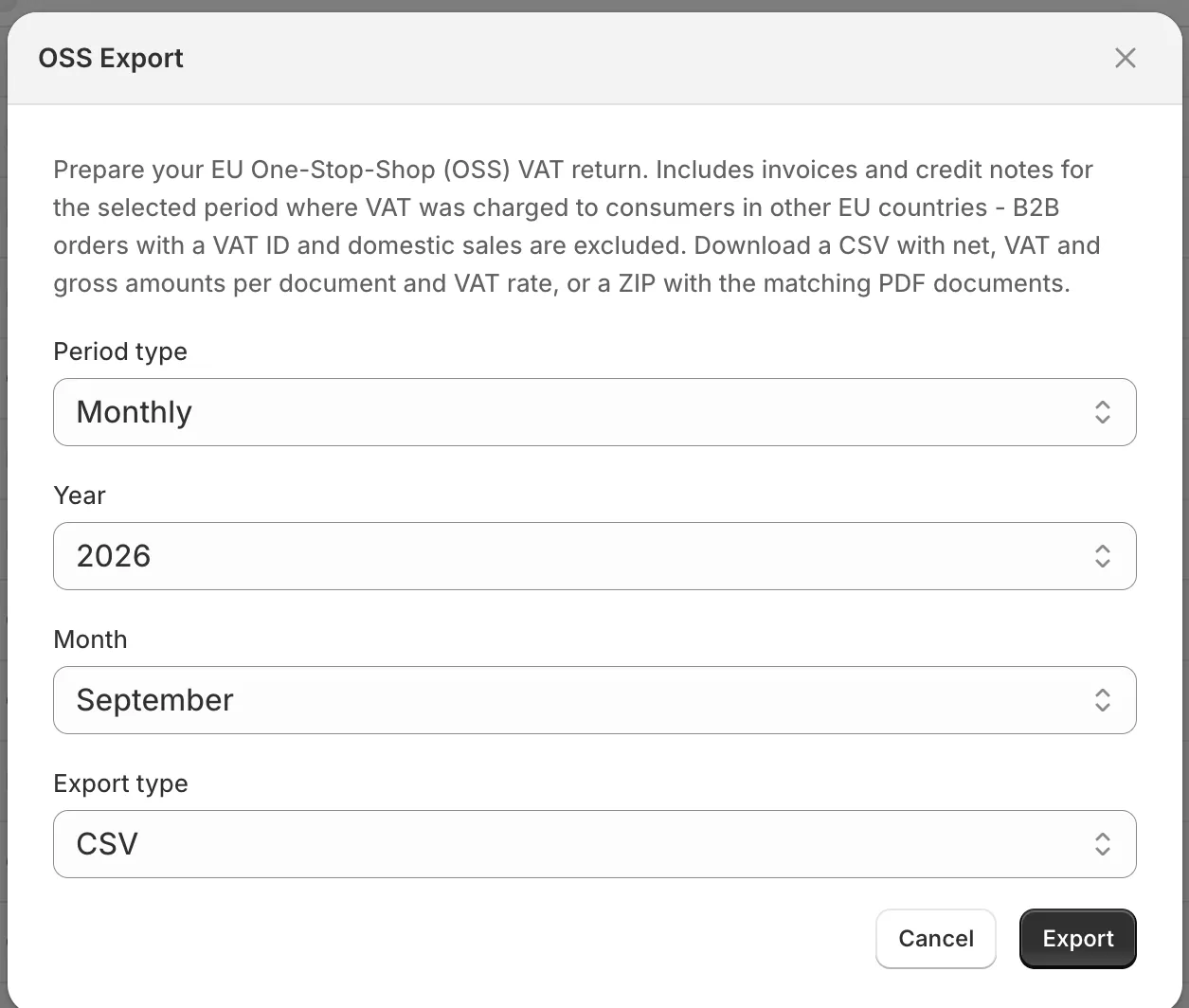
- Click Export. You will see “OSS export download started”, and the file is saved as oss_2026-Q1.csv or oss_documents_2026-Q1.zip, with your period in the name.
The period runs in calendar days in your store’s timezone from Customize > Localization, so a document dated late on the last day of a quarter stays in that quarter. If nothing qualifies, the PDF export says “No OSS documents in this period” instead of producing an empty archive, and the CSV comes back with only its header row.
Which documents are included
Section titled “Which documents are included”A document is on the export when all of these hold:
- It is an invoice or credit note dated inside the period, with a tax breakdown.
- The customer has no VAT ID on the document. A VAT ID means the reverse charge applied, and the sale is outside OSS.
- The customer’s country is an EU country other than your own. Sales in your own country go on your normal VAT return.
- At least one line carries a VAT rate above zero. Zero-rated lines are dropped from the CSV even on a document that qualifies.
Credit notes get their own rows in the period of their document date, so a refund shows up in the period it was issued rather than changing the row of the original invoice.
What the CSV contains
Section titled “What the CSV contains”One row per document and VAT rate, sorted by date and then by document number:
| Column | What it holds |
|---|---|
| Date | The document date as YYYY-MM-DD |
| Document Number | The invoice or credit note number |
| Order | The Shopify order name |
| Customer Country | The two-letter code of the country the VAT was charged for |
| VAT Rate | The rate, such as 21% |
| Currency | The currency the amounts on that row are in |
| Net Amount | The amount before VAT at that rate |
| VAT Amount | The VAT at that rate |
| Gross Amount | Net plus VAT |
A document with two VAT rates, say a standard-rated product and a reduced-rated one, takes two rows. Sum Net Amount and VAT Amount per Customer Country and VAT Rate, and you have the figures the return asks for. The file is UTF-8 with a byte order mark, so it opens cleanly in Excel.
Good to know
Section titled “Good to know”- Amounts are in the document’s currency, not converted to euros. The Currency column tells you which. A store selling in several currencies gets mixed currencies in one file and converts them itself.
- The export does not recalculate VAT. If you charged your home rate to a foreign consumer under the EUR 10,000 threshold, the rows show that home rate. Fix the rates in Shopify first; the export only reports what was charged.
- The ZIP holds the same documents. It contains the PDF of every document that qualifies for the period, so you can hand over the evidence with the figures.
- Business customers are never on it. A document with a VAT ID is excluded whatever the country. Collect VAT numbers and apply the reverse charge explains how those sales are handled.